Free Resume Templates: Compare All 14
MakeCV has 14 resume templates, and every one is free to download as a PDF with no sign-up and no watermark. Below you can see each template filled with the same sample resume, so you can compare layouts fairly, plus an honest note on how well each one handles applicant tracking systems (ATS).
Quick comparison
"ATS" below is our own assessment of how safely a parser can read the layout. Best means one reading column and standard headings; Good means a narrow side column with plain headings; Fair means a sidebar, cards or a dark page, which look great to a human reader but carry more parsing risk.
| Template | Layout | Photo | ATS | Good for |
|---|---|---|---|---|
| Harvard | One column, Education first | None | Best | Graduates, finance, consulting, law |
| Classic | One column | Optional | Best | Traditional employers, first jobs |
| Student | One column, Education and Projects first | Optional | Best | Students, internships, first jobs |
| Compact | One column, dense | None | Best | Long careers on one page |
| Minimalist | One column | None | Best | Finance, consulting, management |
| Professional | Main + light side column | Optional | Good | Corporate roles, any industry |
| Executive | Main + side column | Optional | Good | Senior and leadership roles |
| Swiss | Main + side column | Optional | Good | Product, operations, design-minded roles |
| Modern | Dark sidebar | Optional | Fair | IT, marketing, sales |
| Aurora | Two columns | Optional | Fair | Marketing, communications |
| Creative | Gradient header, cards | Optional | Fair | Design, content, events |
| Bloom | Two columns, emoji icons | Optional | Fair | Hospitality, beauty, education |
| Tech / Dark | Dark page, side column | Optional | Fair | Software, data, DevOps |
| Neon | Near-black page, skill bars | Optional | Fair | Gaming, creative tech |
"Optional" photo means the template shows your photo if you upload one. If you skip it, nothing is left in its place: no empty frame or placeholder icon. Harvard, Compact and Minimalist have no photo area at all.
Templates by style
Each style guide shows the templates in that family at full size and explains when the style helps and when it hurts:
- Professional resume template: a clean two-column corporate layout with an optional photo.
- Harvard resume template: the traditional black-and-white format with Education first.
- Student resume template: Education and Projects first, for first jobs and internships.
- Simple resume template: plain, single-column, works for almost any job (Classic and Compact).
- Modern resume template: sidebar and two-column layouts with colour.
- Minimalist resume template: black-and-white, typography-led designs.
- Creative resume template: bold colour and cards for creative fields.
- Executive resume template: understated serif design for senior roles.
- Tech resume template: dark, developer-style layouts for engineering roles.
All 14 templates
Every preview uses the same fictional sample (a product marketing manager) so the only difference you see is the design. Click a template's "Use the … template" button to open the builder with that template already selected.
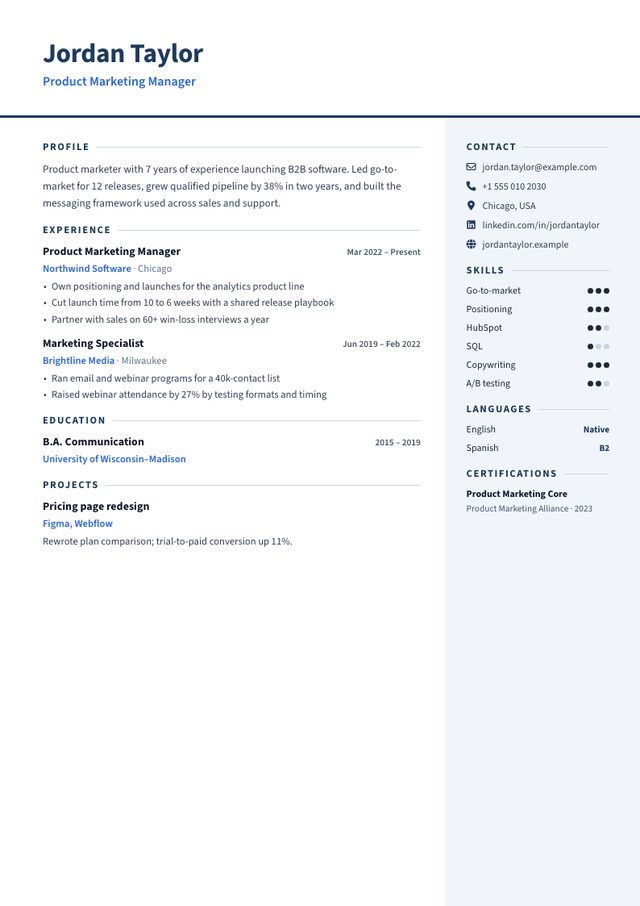
- Layout: Main column + light right sidebar
- Photo: Optional, square, top right (nothing shown if you skip it)
- Look: Navy and blue, Source Sans, skill-level dots
- Suits: Corporate roles in any industry: sales, operations, HR, finance, project management
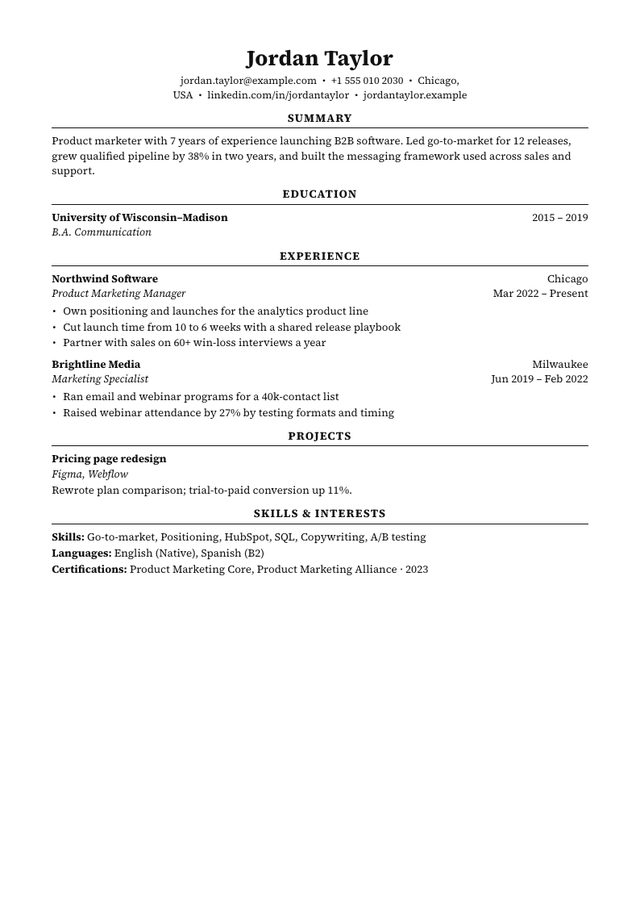
- Layout: One column, Education first
- Photo: No photo area
- Look: Black only, Source Serif, centred headings with rules
- Suits: Students and graduates, finance, consulting, law, academia-adjacent roles
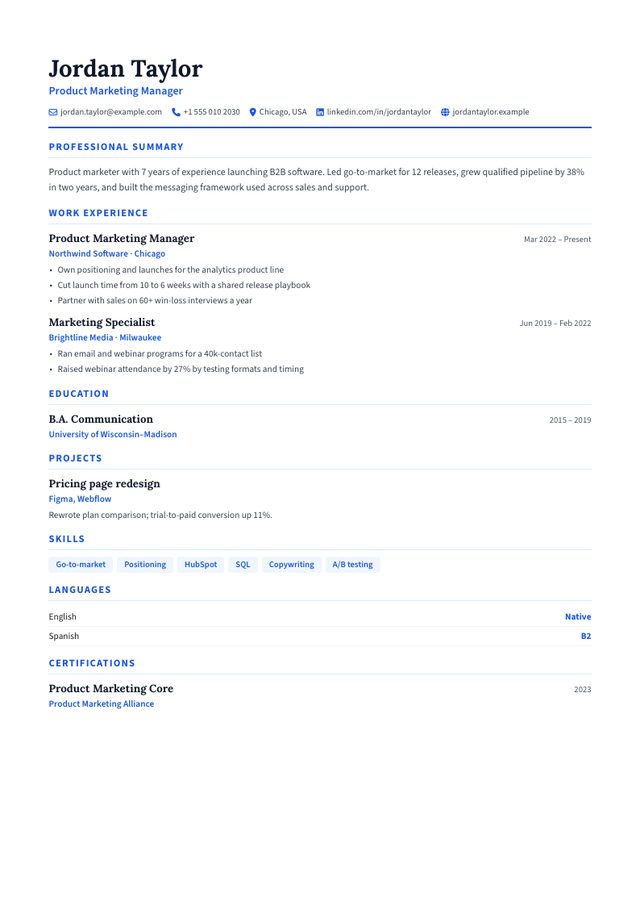
- Layout: One column
- Photo: Optional, round (nothing shown if you skip it)
- Look: Serif name, blue accents, white page
- Suits: Accounting, law, teaching, public sector, first jobs
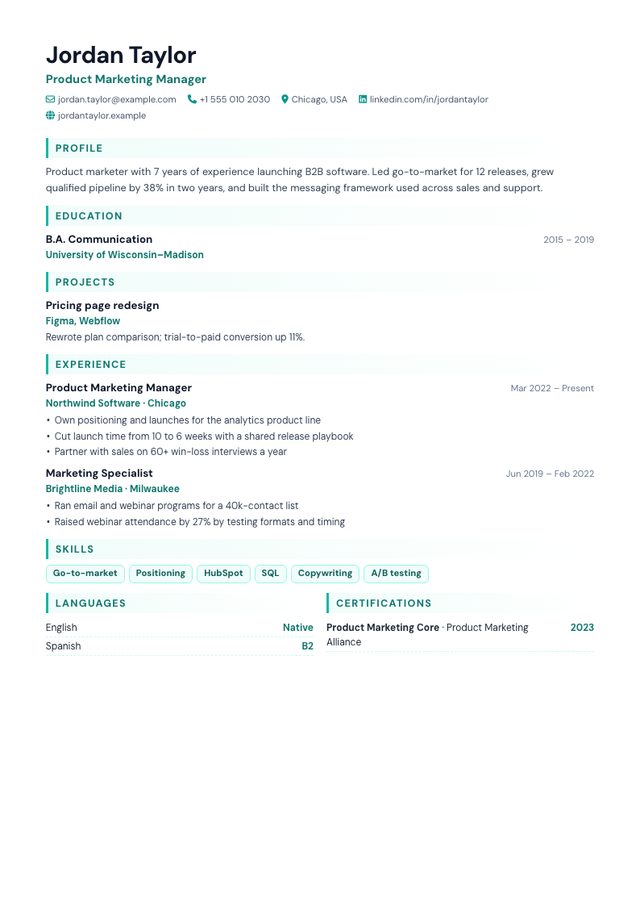
- Layout: One column, Education and Projects first
- Photo: Optional, round (nothing shown if you skip it)
- Look: DM Sans, teal accents, skill tags
- Suits: Students, graduates, internships, part-time and first jobs
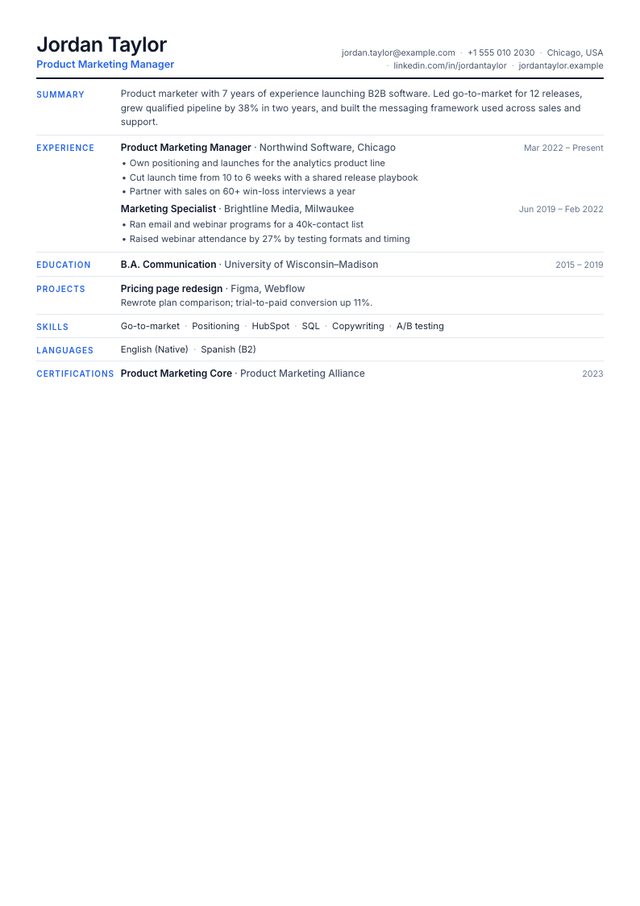
- Layout: One column, section labels in a left margin
- Photo: No photo area
- Look: Dense Inter type, thin rules, blue labels
- Suits: Experienced candidates who need everything on one page
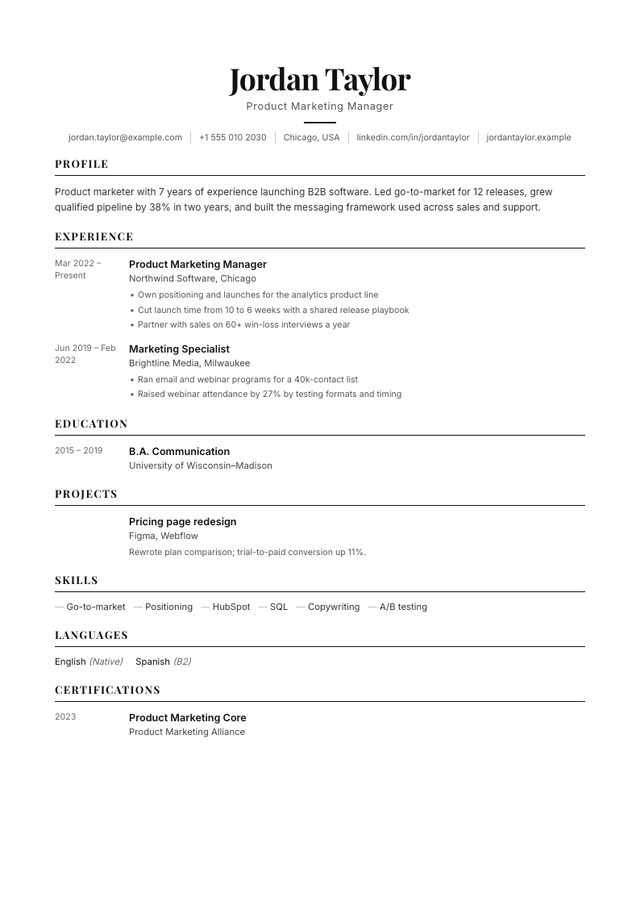
- Layout: One column, dates in a left margin
- Photo: No photo area
- Look: Black and white, Playfair Display headings
- Suits: Consulting, finance, management, academia-adjacent roles
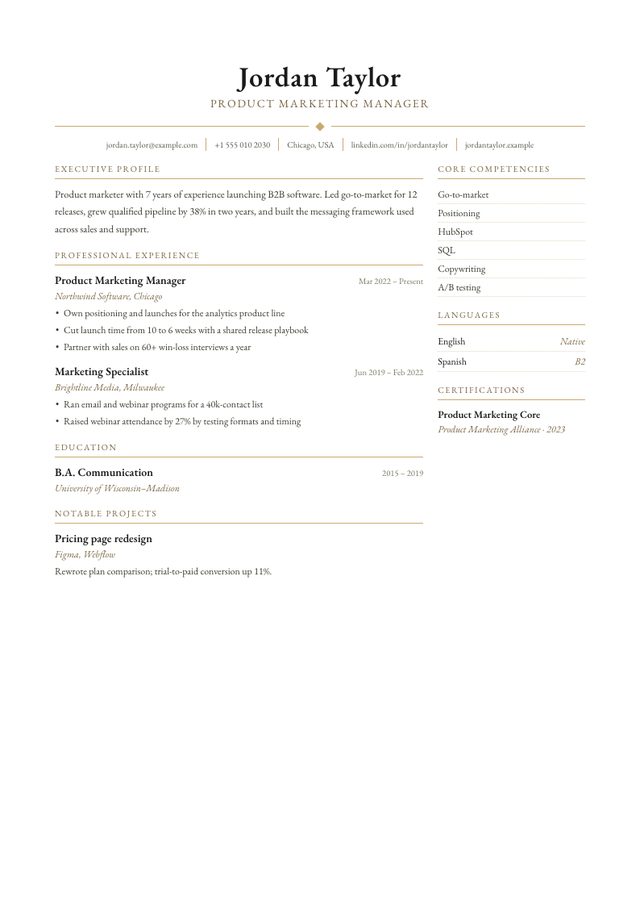
- Layout: Main column + narrow right column
- Photo: Optional, above the name (nothing shown if you skip it)
- Look: Garamond serif, gold rules
- Suits: Director, VP, C-level, senior legal and finance roles
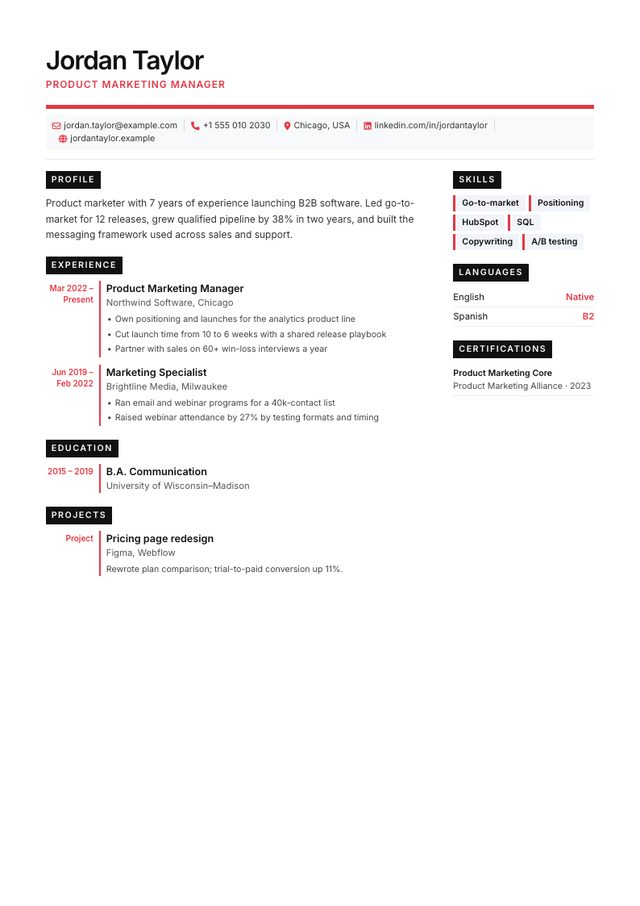
- Layout: Main column + narrow right column
- Photo: Optional, square (nothing shown if you skip it)
- Look: Inter, black labels, red accents
- Suits: Product, operations, architecture, design-minded corporate roles
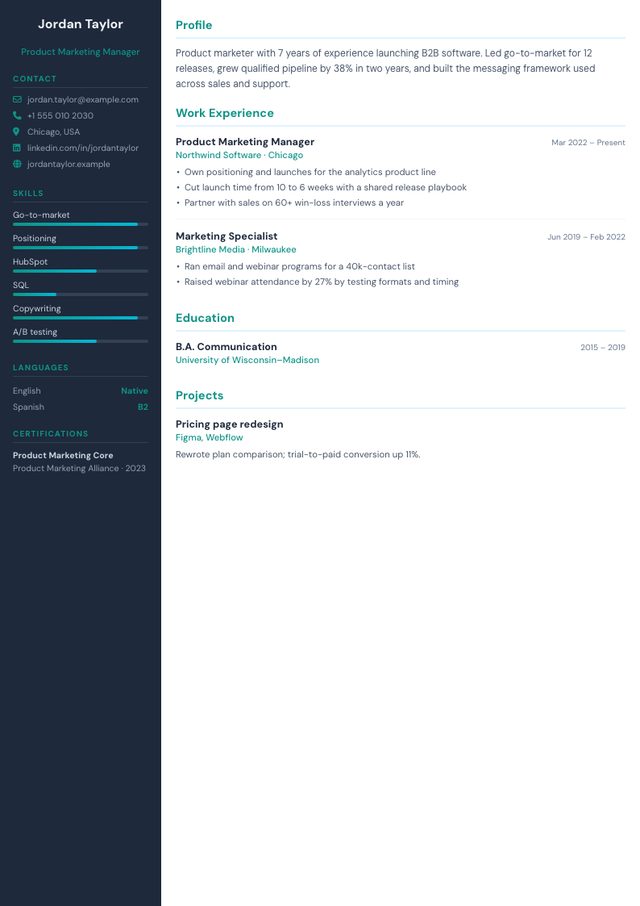
- Layout: Dark left sidebar + main column
- Photo: Optional, round, in the sidebar (nothing shown if you skip it)
- Look: Navy sidebar, teal accents, skill bars
- Suits: IT, marketing, sales, startups
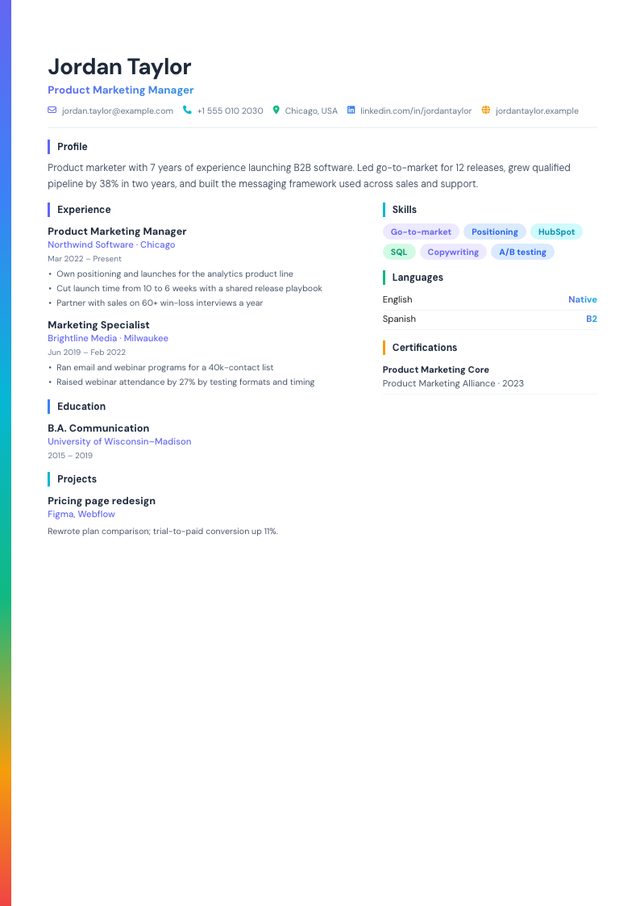
- Layout: Header + two columns below
- Photo: Optional, round (nothing shown if you skip it)
- Look: Gradient edge stripe, colourful skill pills
- Suits: Marketing, communications, customer success
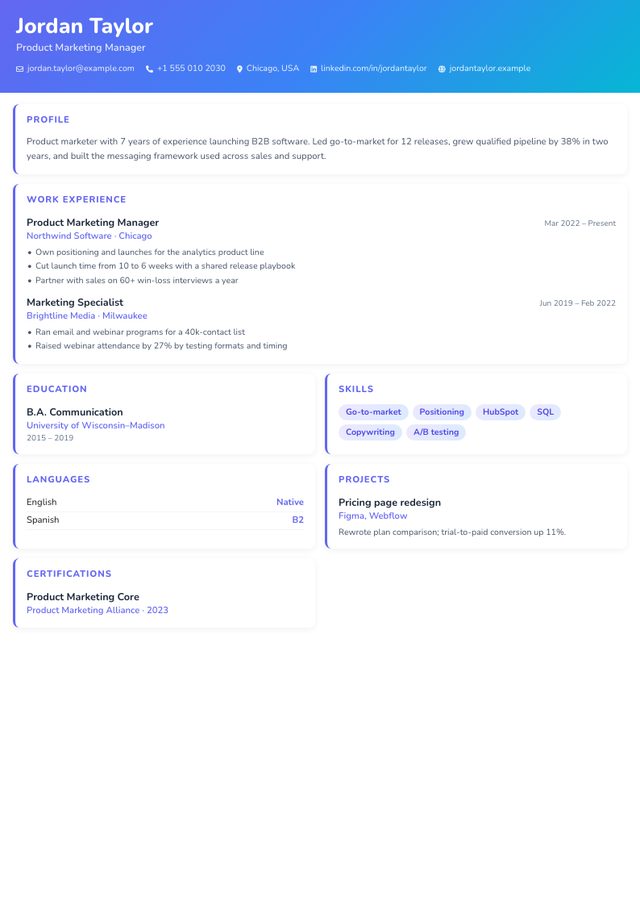
- Layout: Gradient header + card grid
- Photo: Optional, round, in the header (nothing shown if you skip it)
- Look: Purple-to-cyan gradient, cards
- Suits: Design, content, social media, events
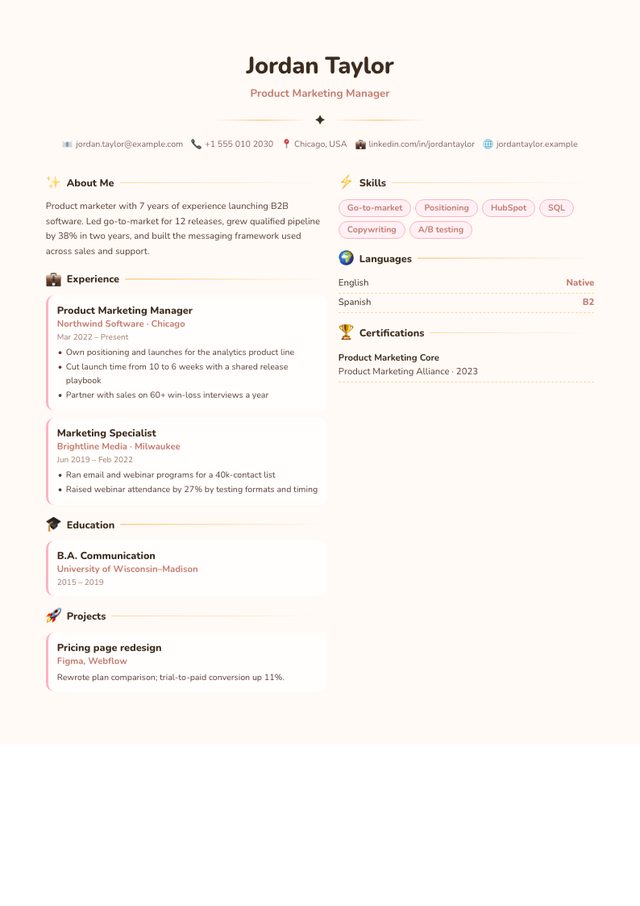
- Layout: Centred header + two columns
- Photo: Optional, round (nothing shown if you skip it)
- Look: Cream page, pink accents, emoji section icons
- Suits: Early-years education, beauty, hospitality, creative freelancers
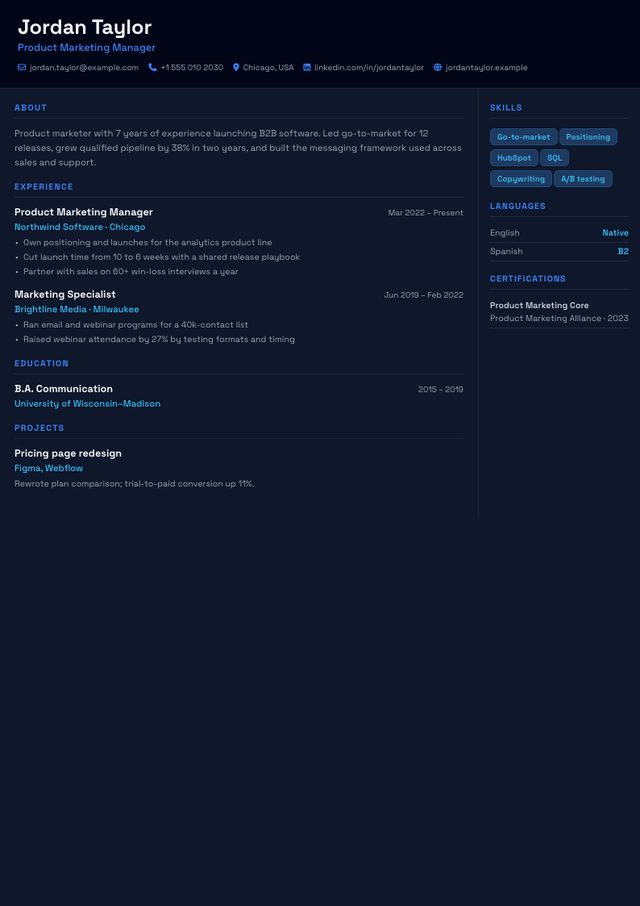
- Layout: Main column + right column, dark page
- Photo: Optional, square (nothing shown if you skip it)
- Look: Dark navy page, Space Grotesk, blue accents
- Suits: Software engineering, data, DevOps, game development
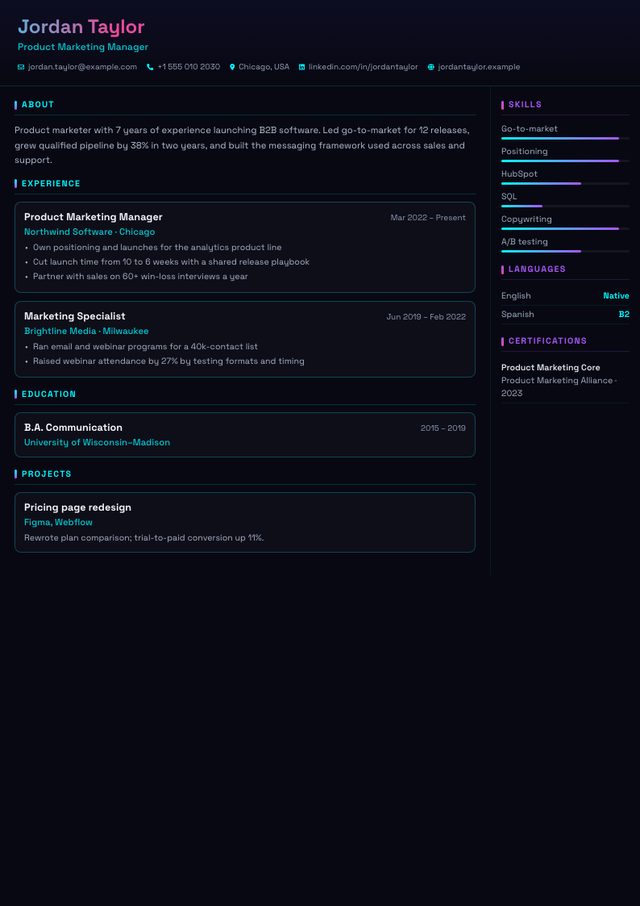
- Layout: Main column + right column, near-black page
- Photo: Optional, square (nothing shown if you skip it)
- Look: Near-black page, cyan and magenta, skill bars
- Suits: Gaming, creative tech, streaming, music
How to choose in 30 seconds
- Applying through an online portal (Workday, Greenhouse, Taleo, iCIMS and similar)? Pick Harvard, Classic or Minimalist and download the ATS PDF.
- Senior role, conservative industry (law, finance, government)? Executive or Classic.
- Emailing a person directly, or a design/creative role? Any template works; Modern, Aurora, Creative and Bloom stand out most.
- Student or first job? Student puts your education and projects first; Harvard is the more traditional option.
- Lots of experience to fit on one page? Compact.
- Developer or data role? Tech / Dark reads well on screen; keep Classic as a second version for strict portals.
- Applying in the UK or Ireland? Skip the photo (see the UK CV guide). In parts of continental Europe a photo is still common.
Because your details are typed in once, it costs nothing to keep two versions: a design-forward PDF for people and a plain one for portals.